
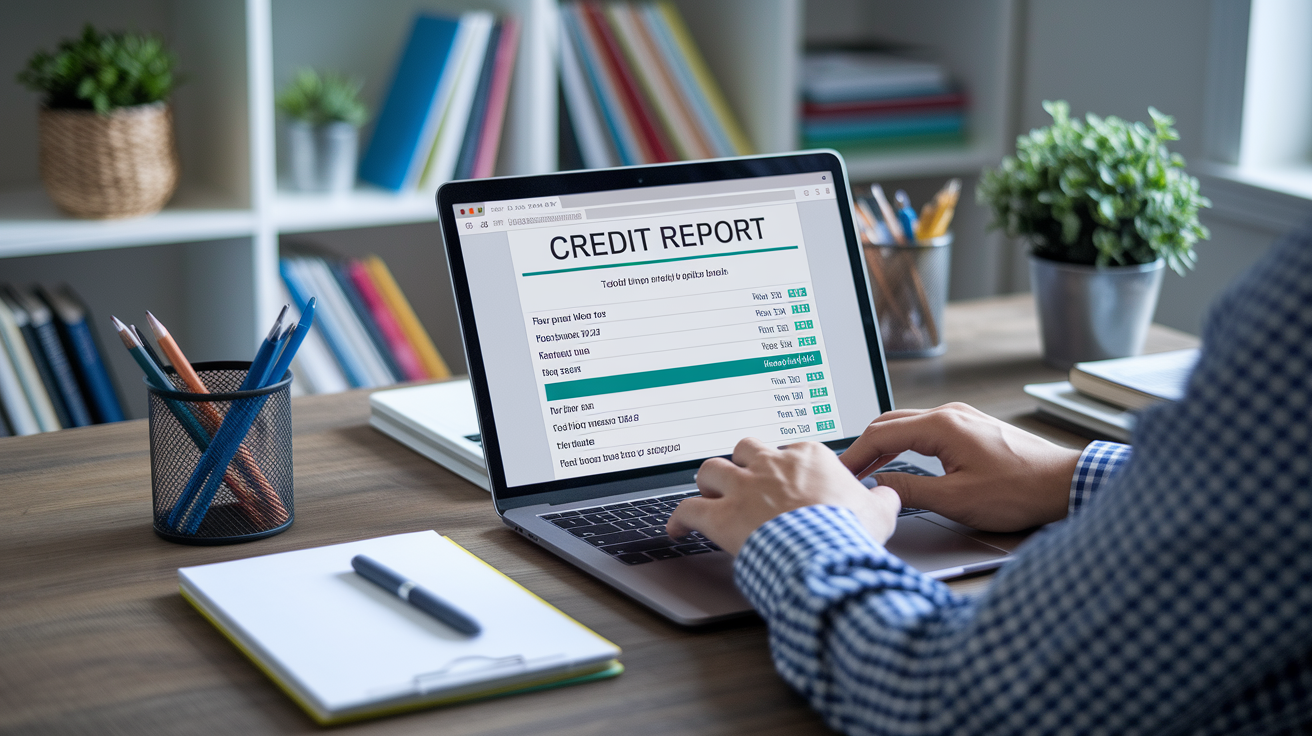

Think credit monitoring will stop identity theft?
It doesn’t block fraud. It tells you when something on your credit file changes.
Credit monitoring pulls data from one, two, or all three credit bureaus and compares today’s snapshot to the last one.
When it finds a new account, inquiry, late payment, or a personal data change, it sends an alert by text, email, or app.
This post shows how monitoring works, what it actually detects, and the quick steps to take when an alert arrives.
Core Explanation of Credit Monitoring Processes

Credit monitoring checks one, two, or all three of your credit reports (Equifax, Experian, TransUnion) on a regular schedule and pings you when something shifts. The service taps into bureau data feeds, compares today’s snapshot to yesterday’s, and spots anything new or different. New accounts, inquiries, late payments, address changes, public records. How often it runs depends on the provider. Some free tools pull data weekly or monthly. Paid plans might check continuously and send alerts within hours of a bureau update.
When the system catches a difference, it fires off a notification through whatever channel you picked during setup. Email, text, mobile app. The alert tells you which account or inquiry changed, the date it was reported, and which bureau logged it. You review the alert, match it to your own activity, and decide if it’s real or sketchy. If it looks wrong, you call the creditor and dispute the item with the bureau.
The process works like this:
- The service pulls your latest report data from one, two, or all three bureaus.
- Automated software compares the new data to the last version and flags any additions, deletions, or edits.
- When it finds a change, the system generates an alert describing what happened and when.
- The alert gets delivered through your chosen method, usually within minutes to hours of the bureau update.
- You log in, review the details, check them against your own records, and take action if needed.
Credit monitoring only catches problems after they land on your credit file. It doesn’t block fraud, stop someone from applying for credit in your name, or prevent a creditor from reporting bad information. The benefit is speed. You find out about unauthorized activity days or weeks sooner than you would checking manually once a year, which gives you time to close fraudulent accounts, dispute errors, and limit the damage.
Credit Monitoring and What Gets Tracked on Your Credit File

Your credit report is a running ledger of your borrowing and repayment history, kept separately by Equifax, Experian, and TransUnion. Each report holds your full legal name, Social Security number, current and past addresses, date of birth, and a detailed list of every account you’ve opened. Credit cards, auto loans, mortgages, student loans, certain utility or phone accounts. Payment history shows up for each account, listing on-time payments, late payments (which stick around for seven years), and any charge-offs or settlements. Public records like bankruptcies and foreclosures are also there. Chapter 13 bankruptcy stays on your report for seven years. Chapter 7 bankruptcy and foreclosures hang around for ten. Collections accounts, tax liens (if reported), and court judgments fill out the rest.
Credit monitoring scans each category every time it checks your report. When a creditor reports a new monthly payment, the service logs the update and checks whether the payment was on time or late. When a lender runs a hard inquiry because you applied for credit, the service flags the inquiry and alerts you. If a collection agency adds a new account or a public record pops up, the system sends a notification. Monitoring doesn’t change your report or fix errors. It just watches for movement and tells you when something shifts.
| Category | What Monitoring Checks |
|---|---|
| Accounts | New credit cards, loans, or lines of credit opened; account closures; balance and limit changes |
| Inquiries | Hard inquiries from lenders when you apply for credit; some services also track soft inquiries |
| Payment History | On-time or late payments reported by creditors; charge-offs, settlements, or missed payments |
| Public Records | Bankruptcies, foreclosures, tax liens, and civil judgments filed with courts and reported to bureaus |
| Personal Data | Changes to name, address, Social Security number, or date of birth that may signal identity theft |
| Collections | New collection accounts from unpaid debts sent to third-party agencies |
Alert Triggers Within Credit Monitoring Systems

An alert fires whenever the monitoring service detects a change that matches one of its programmed triggers. The most common trigger is a new account. A credit card, personal loan, or auto loan that shows up on your report for the first time. If you didn’t open the account, that alert is your first warning of possible identity theft. Hard inquiries, which happen when a lender checks your credit during an application, also generate alerts. Some services track soft inquiries too, though those don’t touch your score and are often tied to pre-approval offers or background checks.
Credit score changes trigger alerts in many systems. If your score jumps or drops by a set number of points (often five or ten), the service sends a notification and might explain what caused the shift. A paid-down balance lowering your utilization. A new late payment hurting your history. Derogatory items like new collections, charge-offs, or public records always trigger alerts because they signal financial distress or fraud. Premium services add dark-web monitoring, which scans underground forums and marketplaces for your Social Security number, email, or credit card numbers, and public records monitoring that watches for liens, evictions, or court filings tied to your name.
Common alert triggers:
- A new credit card, loan, or other account opened in your name
- A hard inquiry added when you (or someone pretending to be you) apply for credit
- A change in your credit score, either up or down, crossing the service’s threshold
- A late payment, charge-off, or settlement reported by a creditor
- A new collection account or public record filed with the bureaus
- Personal information updates, like a new address or name variation
- Dark web exposure of your Social Security number, email, or financial account details (paid services)
Example: You check your email and see an alert saying a new credit card account was opened at a retailer you’ve never shopped at. The alert shows the account appeared on your Experian report yesterday. You call the retailer’s fraud department, confirm you never applied, and ask them to close the account and flag it as fraudulent. You also contact Experian to dispute the account and place a fraud alert on your file, stopping the thief before they charge thousands of dollars.
Monitoring Frequency and Bureau Coverage in Credit Monitoring

Monitoring frequency varies by service tier and provider. Free monitoring tools typically pull your credit data once per week or once per month, which means a fraudulent account could sit on your report for several weeks before you’re notified. Paid services often run continuous or near-real-time scans, checking bureau feeds daily or even hourly, so alerts arrive within a few hours of a creditor reporting new activity. The faster the monitoring cycle, the sooner you can act when something goes wrong.
Bureau coverage matters just as much as frequency. Some free services monitor only one bureau, often Equifax or TransUnion, because pulling data from all three costs more. If a creditor reports a fraudulent account to Experian but your monitoring service only watches Equifax, you won’t receive an alert. Paid plans usually cover two or all three bureaus, though you should verify coverage before signing up. Creditors don’t always report to all three bureaus at the same time or at all, so monitoring only one or two leaves gaps. A thief who knows this might target a bureau your service doesn’t watch.
Reporting timelines also introduce delays. Most creditors send updates to the bureaus once per month, typically around your statement closing date. If someone opens a fraudulent account on the fifteenth and the creditor reports on the thirtieth, your monitoring service won’t see the account until the bureau processes that report, sometimes a few days later. Even the fastest monitoring can’t alert you to activity that hasn’t reached the bureaus yet. Weekly or monthly monitoring compounds the delay, meaning you might not learn about fraud until it’s been active for four to eight weeks.
Free Versus Paid Credit Monitoring Options
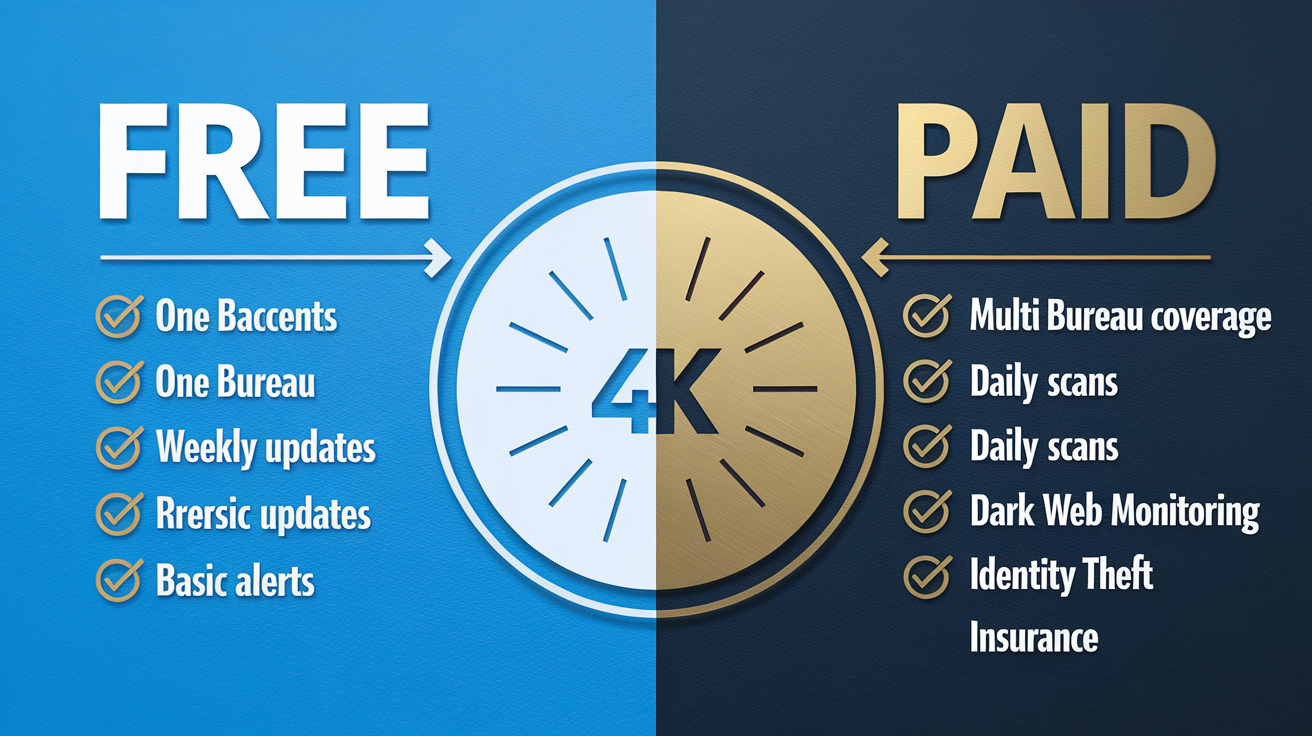
Free credit monitoring services exist and can be useful if you’re disciplined about checking alerts and following up quickly. Many credit card issuers, personal finance apps, and credit score websites offer free monitoring that covers one bureau, delivers weekly or monthly score updates, and sends basic alerts when new accounts or inquiries appear. Some data breach settlements also include complimentary monitoring. For example, a July 2025 breach exposed names, birthdates, and Social Security numbers for 4.4 million customers, and affected individuals were offered free monitoring for a limited period. Free tools won’t catch everything, but they cost nothing and work well if you pair them with manual checks and regular statement reviews.
Paid monitoring plans typically cost ten to forty dollars per month and add features designed to catch fraud faster and help you recover if your identity is stolen. Multi-bureau coverage is standard in most paid plans, so you receive alerts from Equifax, Experian, and TransUnion instead of just one. Monitoring frequency increases. Some providers scan daily or continuously rather than weekly. Dark web monitoring searches databases of stolen credentials for your Social Security number, email addresses, and payment card numbers. Public records monitoring watches court filings for liens, judgments, or evictions tied to your name. Many paid plans also include identity theft insurance that reimburses expenses like legal fees, lost wages, and document replacement costs, with coverage limits ranging from twenty-five thousand to one million dollars depending on the tier.
Key differences:
- Bureau coverage: Free plans often monitor one bureau; paid plans usually cover all three.
- Alert speed: Free services check weekly or monthly; paid services check daily or continuously.
- Dark web scans: Rarely included in free plans; common in paid tiers.
- Recovery support: Free tools provide alerts but no help resolving fraud; paid plans may include case managers, legal assistance, or expense reimbursement.
- Insurance: Free monitoring has no financial backstop; paid plans often include identity theft insurance with varying limits.
| Feature | Free | Paid |
|---|---|---|
| Bureau Coverage | Usually one (Equifax or TransUnion) | Two or all three bureaus |
| Monitoring Frequency | Weekly or monthly | Daily or continuous |
| Dark-Web Monitoring | Rarely included | Common in most plans |
| Identity-Theft Insurance | None | $25,000 to $1,000,000+ |
| Recovery Assistance | Alerts only; you handle disputes | Case managers, legal help, reimbursement |
Limitations and Common Gaps in Credit Monitoring

Credit monitoring does not prevent fraud. It tells you when something has already happened, but it can’t stop a thief from applying for credit in your name, opening a bank account using your Social Security number, or filing a fake tax return. By the time an alert reaches you, the fraudulent account may already be open and the damage started. The value is early detection, not prevention. If you want to block unauthorized credit applications entirely, you need a credit freeze, which locks your file so lenders can’t access it to approve new accounts.
Monitoring also misses identity theft that doesn’t involve credit. Medical identity theft (someone using your insurance to get treatment) won’t show up on your credit report unless the unpaid bills go to collections. Tax fraud, unemployment fraud, and criminal identity theft leave no trace on bureau files. Even within credit monitoring, coverage gaps exist. If your service watches only Equifax and TransUnion but a creditor reports fraud exclusively to Experian, you won’t get an alert. If a thief uses synthetic identity tactics (combining your Social Security number with a fake name and birthdate), the new file may not link to your existing credit profile, so monitoring won’t flag it.
Reporting delays create blind spots. Creditors typically send updates to the bureaus once per month, and bureaus take a few days to process and post those updates. A fraudulent account opened on the third of the month might not appear on your credit report until the end of the month or the beginning of the next. If your monitoring service checks weekly, you could wait another week before the alert fires. In the worst case, a fraudulent account could sit undetected for six to eight weeks, giving a thief time to max out the credit line and vanish. Monitoring shortens that window but doesn’t close it entirely.
DIY Credit Monitoring and Self‑Check Methods

You can monitor your credit without paying for a service if you’re willing to do the work manually. The process requires pulling your credit reports, reviewing them line by line, checking your financial accounts regularly, and acting quickly when you spot an error or suspicious entry. It takes more time than automated monitoring, but it costs nothing and gives you full control over what you check and when.
Start by requesting your free credit reports. Federal law requires each of the three bureaus to give you one free report per year, available at AnnualCreditReport.com. During the COVID-19 pandemic, the bureaus temporarily offered weekly free reports. Verify current availability before relying on that schedule. Pull one report every four months from a different bureau, or pull all three at once if you’re concerned about fraud. Compare the reports side by side and look for discrepancies. An account on one bureau but not the others, an inquiry you don’t recognize, or a balance that doesn’t match your records.
Manual monitoring steps:
- Request your free credit report from each bureau once per year (or more frequently if offered).
- Review every account listed and confirm you recognize the creditor, account number, opening date, and current balance.
- Check the inquiry section for hard inquiries you didn’t authorize or soft inquiries from unfamiliar companies.
- Look for any public records, collections, or late payments you don’t remember or that seem incorrect.
- Log in to your bank and credit card accounts weekly and scan for unfamiliar charges or withdrawals.
- Monitor your credit score for free through your credit card issuer or a personal finance website and investigate sudden drops.
- Place a credit freeze on all three bureaus to block new credit applications; lift the freeze temporarily when you need to apply for a loan or card.
- If you find an error or fraudulent item, file a dispute directly with the bureau online or by mail and contact the creditor to request account details or closure.
Setup Requirements for Credit Monitoring Services
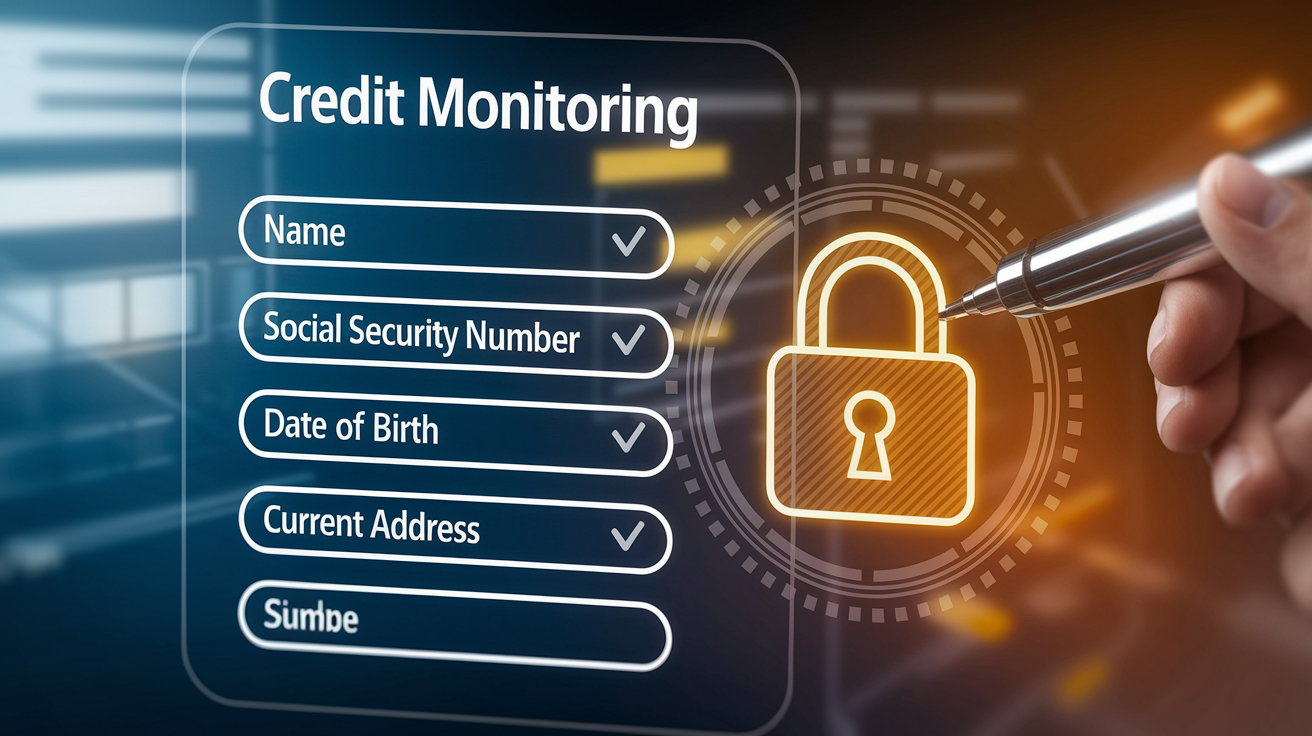
Setting up credit monitoring takes a few minutes and requires personal information the service will use to verify your identity and pull your credit reports. You’ll provide your full legal name as it appears on official documents, your Social Security number, your date of birth, and your current address. Many services also ask for previous addresses to ensure they’re matching your file correctly across all three bureaus. This information is sensitive, so choose a reputable provider that uses encryption and stores data securely.
After entering your details, you’ll select your notification preferences. Most services offer email alerts, SMS text alerts, and push notifications through a mobile app. You can usually customize which types of alerts you receive (new accounts, inquiries, score changes, public records) and how often you want summary reports. Some providers let you set thresholds, like only alerting you if your score changes by more than ten points or if a new account appears on more than one bureau. Once you confirm your settings, the service runs an initial scan of your credit file and sends a baseline report showing your current accounts, inquiries, and score.
Setup steps:
- Enter your legal name, Social Security number, date of birth, and current address.
- Provide previous addresses if requested to help the service match your file across bureaus.
- Choose which bureaus you want monitored (one, two, or all three, depending on the plan).
- Select your notification channels: email, SMS, mobile app, or a combination.
- Customize alert types and thresholds based on what matters most to you (new accounts, score changes, inquiries).
- Review the baseline report to confirm your current credit file is accurate and complete.
Responding to Alerts from Credit Monitoring
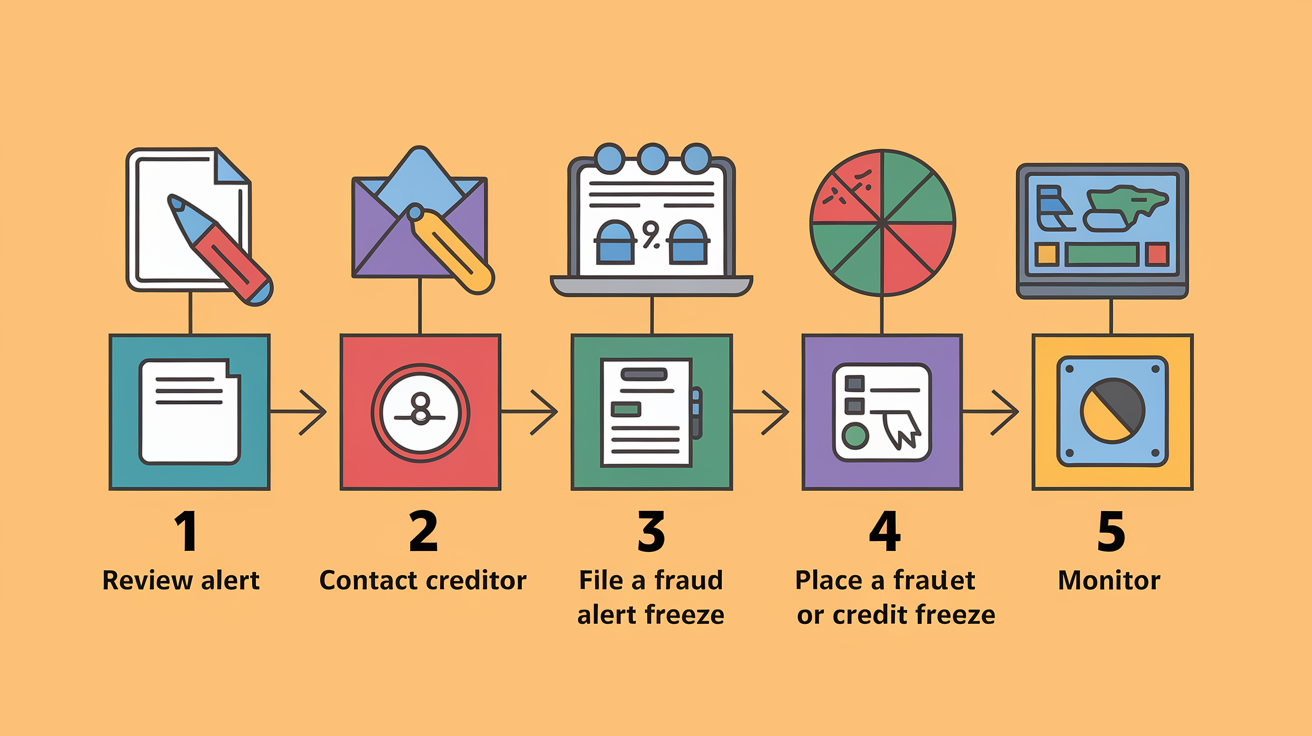
When an alert arrives, open it immediately and read the details. The notification will tell you what changed (a new account, a hard inquiry, a late payment, or a score shift) and which bureau reported it. Compare the information to your own records. If you applied for a credit card last week and the alert shows a new inquiry from that issuer, the alert is expected and legitimate. If the alert shows an inquiry or account you don’t recognize, treat it as potential fraud and act fast.
Contact the creditor or lender listed on the alert first. Ask for details about the account or inquiry: when it was opened, what address was used, and what documentation was provided. If the account is fraudulent, request immediate closure and ask the creditor to flag it as fraud in their system. Next, contact the credit bureau that reported the item and file a dispute. You can usually do this online through the bureau’s dispute portal. Upload any supporting documents (a police report, an identity theft affidavit, or a letter from the creditor confirming fraud). Place a fraud alert or credit freeze on all three bureaus to prevent additional accounts from being opened while you clean up the damage.
Immediate response steps:
- Review the alert and identify exactly what changed (new account, inquiry, score drop, or public record).
- Contact the creditor or lender shown on the alert to verify the activity and close any fraudulent accounts.
- File a dispute with the credit bureau that reported the item, providing documentation and requesting removal.
- Place a fraud alert or credit freeze on all three bureaus to block further unauthorized applications.
- Continue monitoring your credit reports and financial accounts closely until the issue is fully resolved.
Final Words
You saw how credit monitoring scans Equifax, Experian, and TransUnion for file changes, uses change-detection logic, and delivers alerts by email, text, or app.
We covered what’s tracked (accounts, payments, public records), common alert triggers, monitoring cadence and bureau coverage, free versus paid tradeoffs, DIY checks, setup steps, and how to respond when alerts appear.
If you still wonder how does credit monitoring work, remember it detects issues after they happen—so pair monitoring with freezes, regular self-checks, and quick disputes. That keeps you in control.
FAQ
Q: Is there a downside to credit monitoring?
A: The downside to credit monitoring is it only detects problems after they happen, can trigger false alarms, may cost $10–$40/month for faster, fuller coverage, and can miss activity if not monitoring all bureaus.
Q: Does Sallie Mae credit check?
A: Sallie Mae typically performs a credit check when you apply for a loan or credit product: a soft pull may be used for prequalification, but a hard inquiry usually happens at formal application and can affect your score.
Q: What is the biggest killer of credit scores?
A: The biggest killer of credit scores is payment history — late or missed payments, defaults, and charge-offs. Recent or long delinquencies do the most damage and take time to repair.
Q: What is the process of credit monitoring?
A: The process of credit monitoring involves pulling your credit file(s) from one or more bureaus on a schedule, detecting changes with software, and sending alerts by email, text, or app; it only notifies you after changes appear.