


What if a single typo on your credit report is costing you hundreds in added interest?
Don’t panic. Federal law lets you dispute inaccurate items for free, and most disputes wrap up within 30 days.
This guide gives a clear, step-by-step process: pull all three reports, gather the exact documents that prove the error, and file targeted disputes with Experian, Equifax, and TransUnion.
Follow these steps and you can remove wrong items faster and lower your costs.
Step-by-Step Actions to Fix Credit Report Errors Immediately

Finding an error on your credit report can feel alarming, but fixing it doesn’t have to be complicated. Federal law gives you the right to dispute inaccurate information for free, and most disputes wrap up within 30 days. You just need to act quickly, gather the right documents, and submit your dispute clearly to each bureau that’s showing the mistake.
Here’s exactly what to do:
-
Get all three credit reports. Pull your report from Experian, Equifax, and TransUnion. An error on one report won’t always show up on the others, so check each one.
-
Highlight every error. Go line by line. Look for wrong balances, incorrect late payments, accounts you don’t recognize, outdated addresses, and any unfamiliar inquiries.
-
Collect your evidence. Gather bank statements, payment receipts, account statements, letters from creditors, and identity documents that prove the correct information.
-
Choose your submission method. You can dispute online through each bureau’s portal, by certified mail with return receipt, or by phone with a dispute specialist.
-
Write a clear explanation. For each error, state the creditor name, account number, what’s wrong, and what you want corrected or removed.
-
Attach your documents. Upload scans if filing online. Include copies (never originals) if mailing.
-
Submit and save confirmation. Keep your confirmation number, tracking receipt, or screenshot of your online submission.
-
Track the investigation. Check your account for status updates and respond immediately if the bureau requests more information.
Before you start, take 20 minutes to organize all your supporting documents in one folder. A complete evidence package submitted the first time saves weeks of back and forth later.
Understanding Disputable Credit Report Errors and Why They Happen

Credit report errors are more common than most people realize. Roughly 44 percent of Americans find at least one mistake when they review their reports. Some errors are clerical. A payment marked late when you paid on time, a balance that’s higher than what you actually owe. Others are more serious, like accounts opened by identity thieves or duplicate accounts that make your debt look worse than it is.
Errors happen for a few reasons. Creditors send information to the bureaus every month, and sometimes they send the wrong data. Credit files can get mixed up when two people have similar names or Social Security numbers. Old public records (bankruptcies, liens, judgments) may linger past the seven year reporting window. And fraud adds accounts you never applied for.
Here are the most common types of disputable errors:
Incorrect personal details. Wrong name spelling, outdated address, incorrect date of birth, or partial Social Security number mismatch.
Inaccurate payment history. Late payments reported when you paid on time, or missed payments that never happened.
Wrong account balances or credit limits. Balance shown as higher than actual, or credit limit reported lower, which inflates your utilization ratio.
Duplicate accounts. The same account listed twice, sometimes under slightly different names or account numbers.
Accounts you never opened. Clear sign of identity theft or a mixed credit file.
Outdated negative items. Bankruptcies older than 10 years, charge offs or collections past seven years, or late payments beyond the seven year rule.
Unauthorized hard inquiries. Inquiries for credit you didn’t apply for, often from identity theft or lender error.
Documentation You Need Before Filing a Credit Report Dispute

A strong dispute relies on proof. The credit bureaus won’t just take your word that something is wrong. They need documents that back up your claim. Gather these before you submit anything, because most disputes move faster and succeed more often when all the evidence arrives in the first package.
Start with anything that shows the correct account status or payment history. If a late payment is reported incorrectly, a bank statement or cleared check showing on time payment is your best proof. If an account balance is wrong, pull the most recent billing statement from the creditor. For identity theft accounts, you’ll need a police report or a Federal Trade Commission identity theft affidavit. And for errors in your name or address, identity documents and utility bills confirm the accurate information.
Always send copies, never originals. Keep the originals in a safe place. You may need them again if you have to refile or escalate.
Here’s what to include in your evidence package:
Account statements or billing statements showing correct balances, payment due dates, and account status.
Bank statements or images of cleared checks proving you made payments on time.
Payment confirmation emails or receipts from online bill pay systems.
Correspondence with the creditor. Letters or emails where the lender confirmed a correction or acknowledged an error.
Government issued ID (copy of driver’s license or passport) when your name, date of birth, or Social Security number is incorrect.
Utility bill or lease agreement to verify your current address if the report shows the wrong one.
Police report or FTC identity theft affidavit for fraudulent accounts opened in your name.
Court documents or discharge papers if a public record (bankruptcy, judgment) is listed incorrectly or past its reporting limit.
How to Submit a Credit Report Dispute to Each Bureau

You’ll file a separate dispute with each bureau that lists the error. If the same mistake appears on all three reports, you’ll submit three disputes. One to Experian, one to Equifax, and one to TransUnion. Each bureau runs its own investigation, so fixing it with one won’t automatically fix the others.
You have three ways to submit: online through the bureau’s dispute portal, by certified mail, or by phone. Online is usually fastest and gives you instant confirmation. Mail creates a paper trail and lets you send a detailed letter with all your documents attached. Phone works if you need to speak with a specialist, but always follow up in writing and get a confirmation number.
Experian
Experian’s online dispute center is the quickest route. Sign in to your Experian account (or create one if you don’t have it), navigate to the Dispute Center, and review each section of your report. Accounts, personal information, inquiries, and public records. Select the item you want to dispute, choose the reason from the dropdown menu, add a short explanation if needed, and upload scanned copies of your supporting documents.
- Go to Experian.com and sign in or register for a free account.
- Open the Dispute Center and select the report section with the error (Accounts, Personal Info, Inquiries, or Public Records).
- Click the item, choose your dispute reason, type a brief comment, and attach your documents.
- Submit and save your confirmation number and any email receipt.
Equifax
Equifax follows a similar process. Log in to your Equifax account, go to the dispute section, review your report, and flag each error. You’ll select a reason, write a short explanation, and upload your proof. Equifax also accepts mail disputes. Download their dispute form, attach copies of your documents and a copy of your ID, and send everything via certified mail with return receipt.
- Visit Equifax.com and log in or create an account.
- Navigate to Disputes, review your report, and select the incorrect item.
- Pick a dispute reason, add comments, and upload scans of your supporting documents.
- Submit online and screenshot the confirmation page, or mail the form and documents by certified mail and keep the tracking receipt.
TransUnion
TransUnion’s dispute portal works the same way. After logging in, open the Dispute Center, identify the error, choose a reason, explain what’s wrong, and attach your evidence. For mail disputes, write a dispute letter (covered in the next section), include document copies, and send by certified mail. Phone disputes are also available. Call TransUnion’s dispute line, speak with a specialist, provide your information, and request a written confirmation of the dispute filing.
- Sign in at TransUnion.com or register for an account.
- Go to the Dispute Center, find the item you’re disputing, and select it.
- Choose the dispute reason, type your explanation, and upload supporting documents.
- Submit and save the confirmation ID or email, or mail a letter with copies and send certified mail with return receipt.
Writing an Effective Credit Report Dispute Letter
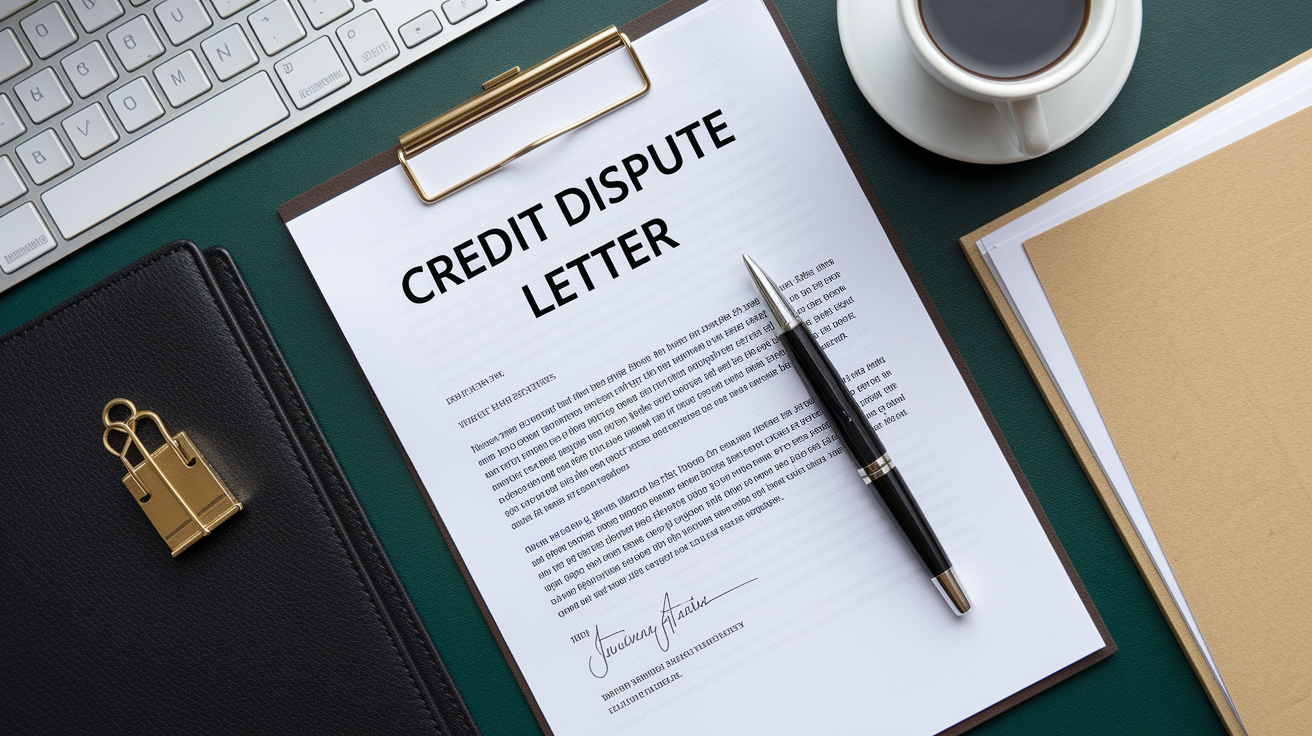
If you’re mailing your dispute instead of using the online portal, your letter needs to be clear, complete, and organized. The bureau will match your letter to your credit file, investigate the items you list, and send you the results in writing. A vague or incomplete letter slows everything down, so include every required detail the first time.
Your dispute letter should have seven key elements:
- Date and your full contact information. Include your full name, current address, and the last four digits of your Social Security number at the top of the letter.
- Identification of the incorrect item. State the creditor’s name, the account number, and the specific piece of information that’s wrong (balance, payment status, date, etc.).
- Explanation of the error. Describe why the information is inaccurate in one or two sentences (“This account shows a late payment in March 2023, but I paid on time as shown in the enclosed bank statement”).
- Your requested correction. Tell the bureau exactly what you want (“Please delete this account” or “Please correct the balance to $1,200”).
- List of enclosed documents. Write “Enclosures:” followed by a numbered list of every document you’re attaching.
- Request for written confirmation. Ask the bureau to notify you in writing of the investigation results.
- Your signature. Sign and date the letter.
Here’s a short sample you can adapt:
[Date]
[Your Full Name]
[Address]
Last 4 digits of SSN: [####]
To Whom It May Concern,
I am writing to dispute the following information on my credit report:
Creditor: ABC Bank
Account Number: 123456789
Reported Balance: $3,500
Problem: The balance is incorrect. My current balance is $2,100, as shown in the enclosed account statement dated [date].
Creditor: XYZ Collections
Account Number: 987654321
Problem: I never opened this account. This appears to be the result of identity theft. Enclosed is a copy of my FTC identity theft affidavit and police report.
Please investigate these items and correct or delete the inaccurate information. Notify me in writing of the results.
Enclosures:
- ABC Bank account statement, [date]
- FTC identity theft affidavit
- Police report, case #[number]
- Copy of driver’s license
Sincerely,
[Your Signature]
[Your Printed Name]
Mail this letter by certified mail with return receipt requested. Save the tracking number and the receipt. They prove the bureau received your dispute and when.
What Happens After You Submit a Credit Report Dispute

Once you submit your dispute, the credit bureau forwards your claim and supporting documents to the creditor or other data source (called the “furnisher”) that reported the information. The furnisher reviews the evidence, checks its records, and reports back to the bureau. The bureau then updates your credit report based on what the furnisher confirms.
Most investigations wrap up within 30 days. If you send additional documentation after the investigation starts, the timeline can extend to 45 days. You’ll receive updates through your online account if you filed online, or by mail if you submitted a letter. Bureaus typically send status notifications by email if you’ve opted in for alerts.
| Status | What It Means | What You Should Do |
|---|---|---|
| Open | Your dispute has been received and the investigation has started. | Wait for updates; check your account or email for requests for more information. |
| Update | Investigation is complete and the bureau is updating your report with the results. | Log in or wait for the mailed results letter; review what changed. |
| Dispute Results Ready | Final outcome is available; your report has been corrected, verified, or left unchanged. | Review the results, download your updated report, and confirm the correction was made. |
At the end of the investigation, three outcomes are possible. The information may be verified. The furnisher confirmed it’s accurate, so it stays on your report. It may be updated. The furnisher agreed there was an error and provided corrected details, which the bureau now shows. Or it may be deleted. The furnisher couldn’t verify the information or confirmed it was wrong, so the bureau removes it entirely.
Filing a dispute does not hurt your credit score. Your scores can change after a dispute only if the outcome alters your report. Removing a negative item might raise your score, but deleting an old account could shorten your credit history and affect your score in a different way. The dispute process itself has no direct scoring impact.
If Your Credit Dispute Is Denied: Next Steps and Escalation Options

If the bureau investigates and comes back saying the information is accurate, you’re not out of options. A denied dispute usually means the furnisher verified the item with the data they have on file. That doesn’t always mean the item is actually correct. It may mean the furnisher’s records are also wrong, or that your evidence didn’t reach the right person.
Start by contacting the furnisher directly. Your credit report lists the creditor’s name and contact information for each account. Call or write to them, explain the error, and send copies of your proof. If the furnisher agrees the information is wrong, ask them to send corrections to all three credit bureaus. Follow up in writing and keep records of every conversation.
If the furnisher won’t budge or you can’t reach them, you have a few more moves:
Add a consumer statement to your credit file. You can submit a short explanation (usually 100 to 200 words) that will appear on your report whenever someone pulls it. Explain your side. “This account balance is disputed; I have documentation showing the correct balance is $X.”
Refile the dispute with additional documentation. If you’ve found new evidence (another bank statement, a letter from the creditor, or a correction notice), submit it with a new dispute. Avoid filing the same dispute repeatedly without new proof. Bureaus can flag repetitive or frivolous disputes and stop investigating.
File a complaint with the Consumer Financial Protection Bureau (CFPB). If the bureau or furnisher refuses to correct a proven error, submit a formal complaint at consumerfinance.gov. The CFPB reviews complaints, contacts the company, and tracks patterns of problems.
Escalate to your state attorney general or consider legal help. For serious errors that damage your credit and cost you loan approvals or higher rates, legal action may be an option. Some consumer rights attorneys work on contingency for credit reporting cases.
Request reinvestigation with a detailed letter. If the first dispute was cursory, write a longer letter to the bureau’s dispute department, lay out the timeline, attach every document again, and cite the Fair Credit Reporting Act (FCRA) requirement that they conduct a reasonable investigation.
Persistence matters. Some errors take two or three rounds of disputes and direct contact with creditors before they’re finally corrected.
Preventing Future Credit Report Errors and Ongoing Monitoring

Once you’ve cleaned up your credit report, the best way to avoid future errors is to check your reports regularly and catch mistakes early. You’re entitled to free weekly credit reports from each of the three bureaus through AnnualCreditReport.com. Reviewing your reports every few months (or at least once a year) gives you a chance to spot new errors, unfamiliar accounts, or unauthorized inquiries before they cause real damage.
Credit monitoring tools and alerts can also help. Many credit card issuers and banks offer free credit monitoring that notifies you when a new account is opened, when a hard inquiry hits your report, or when a balance changes significantly. These alerts let you react quickly if something looks wrong.
Here’s how to stay on top of your credit:
Pull reports from all three bureaus at staggered intervals. Check one bureau every four months so you’re reviewing a report three times a year without paying for extras.
Set calendar reminders. Mark a date every quarter to log in and review one of your reports.
Sign up for monitoring alerts. Free tools from your bank, credit card, or directly from the bureaus can catch fraud and errors in real time.
Keep records of major financial changes. Save payoff letters, account closure confirmations, and any creditor correspondence so you have proof if something reports incorrectly later.
Final Words
Start by pulling your three credit reports, flagging every mistake, and gathering proof like statements and IDs. Follow the step-by-step actions: write a clear dispute letter, pick online or certified mail, attach documents, submit, and save confirmations.
Keep a simple folder (digital or paper) with copies of everything and note dates you submitted and heard back.
If you do this, you’ll know how to dispute errors on your credit report step by step and reduce mistakes going forward. You’re taking the right, practical steps to protect your credit.
FAQ
Q: How to remove errors from a credit report, dispute successfully, and can errors on a credit report be reversed?
A: Removing errors from a credit report and reversing incorrect items requires identifying mistakes, collecting proof (statements, receipts, ID), filing disputes with each bureau online or by certified mail, and following up within 30–45 days.
Q: What is the 609 loophole?
A: The 609 loophole is a claimed FCRA tactic saying Section 609 forces bureaus to delete negative items; in reality it only lets you request your credit file and does not guarantee removals.